
Finding Block Regions in Drupal 6 and 7

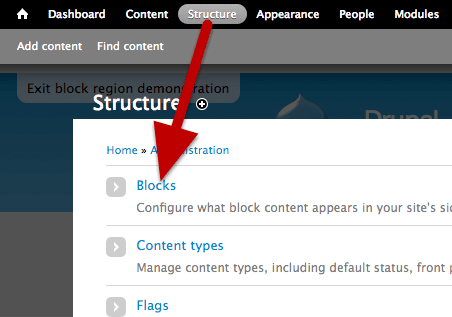
Regions are important in Drupal because they control where you can place blocks and thus create a layout for your site. However, each theme has different regions and it is not always easy to know where your theme’s regions are.
Here’s a quick tutorial showing you how to find the block regions on your Drupal 6 or Drupal 7 site.
Find Block Regions in Drupal 7

In Drupal 7, click on “Structure” and then “Blocks”.

Click on the “Demonstrate block region” link at the top of the page. You’ll then see all the block regions for the theme that is enabled for your site.

Find Block Regions in Drupal 6

In Drupal 6, go to Administer, then Site building, then Blocks.
Drupal will automatically show you all the block regions for the theme that is enabled on your site.


Where did this option go in Drupal 7? I cannot locate it anymore, at least not where the author of this article points at…? Have they removed this option?
hello
@Audun : this option is still in the core.
the link to get this page is :
admin/structure/block/demo/bartik
(replace “bartik” with your theme name)
the link in the blocks admin page is displayed using the “system help” block that is assigned to the “help” region for default installation profile.
when installing drupal using “minimal installation” profile, this block is not assigned to the “help” region so you can not see it.
perfect reminder, thanks!
after months of self-learning I forget some of the simplest basics; this kind of tip, clear and concise is what we need.